
设计分辨率1280 * 720 容器 一个 GImage 关联容器垂直中线,水平中线
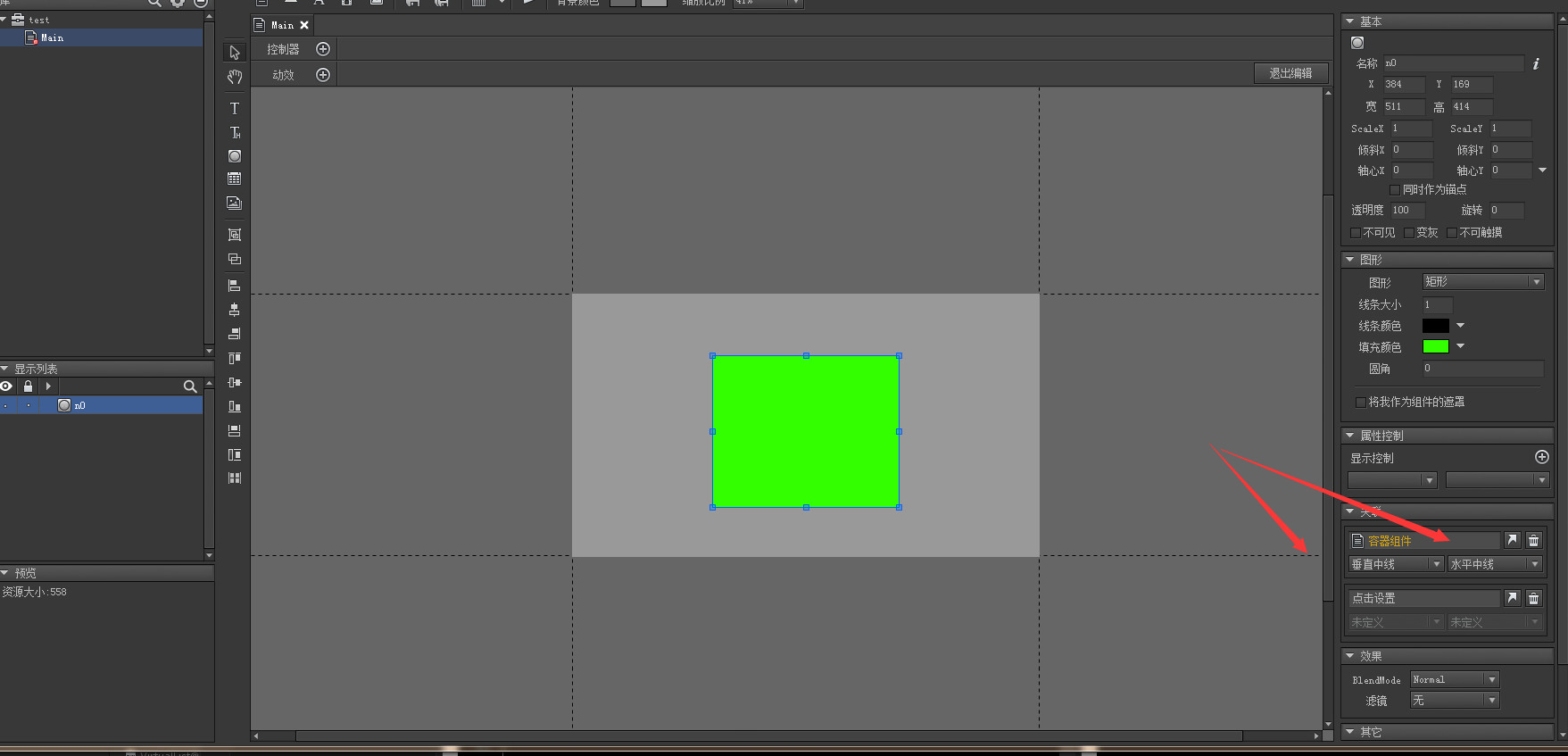
屏幕分辨率适配1

实际分辨率960 * 640

ScreenMatchMode == MatchHeight

得出
    GRoot.inst.width = 1080
    GRoot.inst.height = 720 

代码如下

void Start () 
{
    UIPackage.AddPackage("UI/test");

    Application.targetFrameRate = 60;
    GRoot.inst
        .SetContentScaleFactor
            (1280, 720, UIContentScaler.ScreenMatchMode.MatchHeight);

    GComponent mainView = UIPackage.CreateObject("test", "Main").asCom;
    GRoot.inst.AddChild(mainView);
}

但是为什么实际运行的时候在这个分辨率的时候 方块没有垂直和水平中线呢?
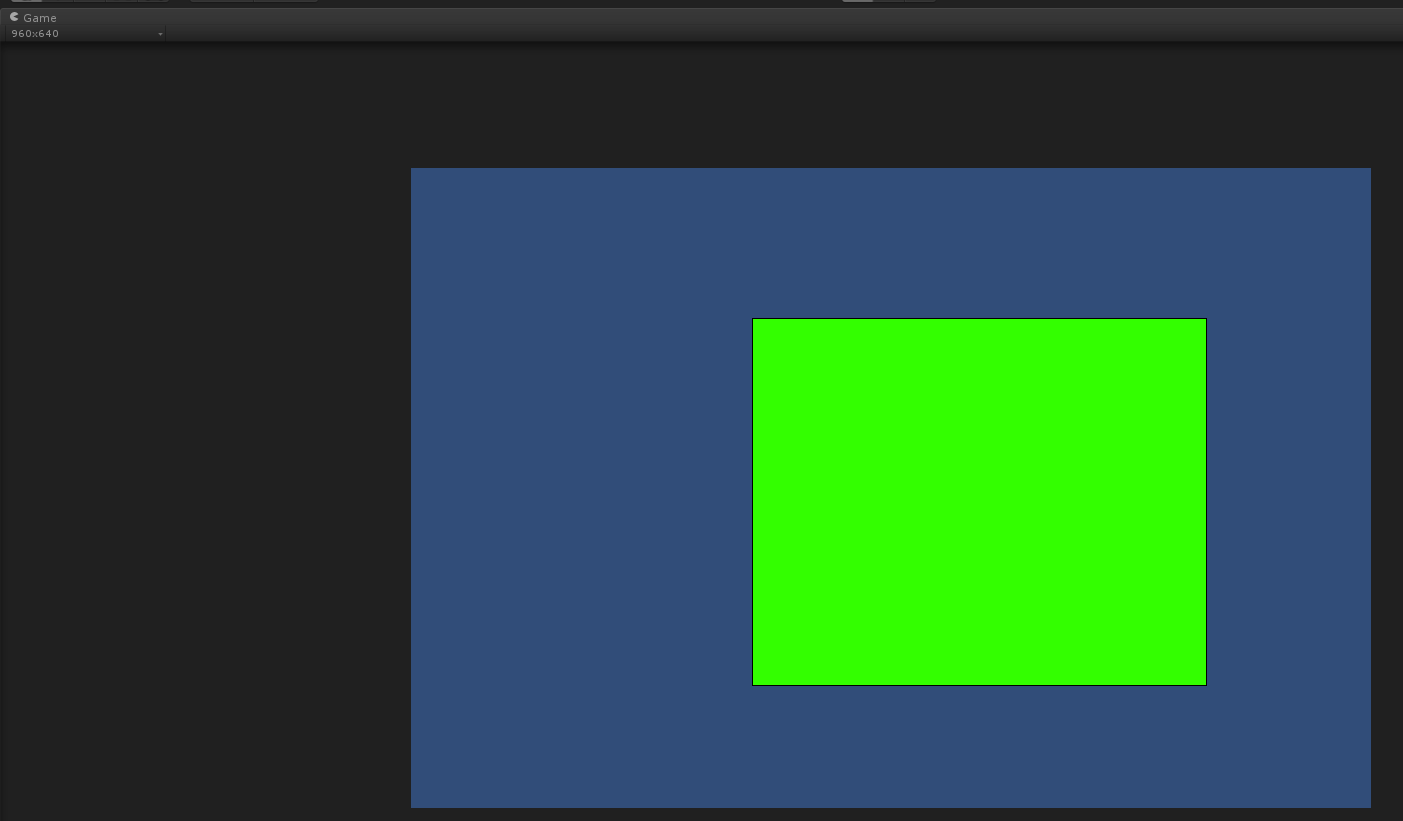
屏幕分辨率适配2

fix1:容器需要铺满

void Start () 
{
    UIPackage.AddPackage("UI/test");

    Application.targetFrameRate = 60;
    GRoot.inst
        .SetContentScaleFactor
            (1280, 720, UIContentScaler.ScreenMatchMode.MatchHeight);


    GComponent mainView = UIPackage.CreateObject("test", "Main").asCom;
    mainView.SetSize(GRoot.inst.width, GRoot.inst.height);
    mainView.AddRelation(GRoot.inst, RelationType.Size);
    GRoot.inst.AddChild(mainView);

    Debug.Log(
        "  GRoot.inst.width  " + GRoot.inst.width
        + "  GRoot.inst.height " + GRoot.inst.height);
}

fix2:后续思考
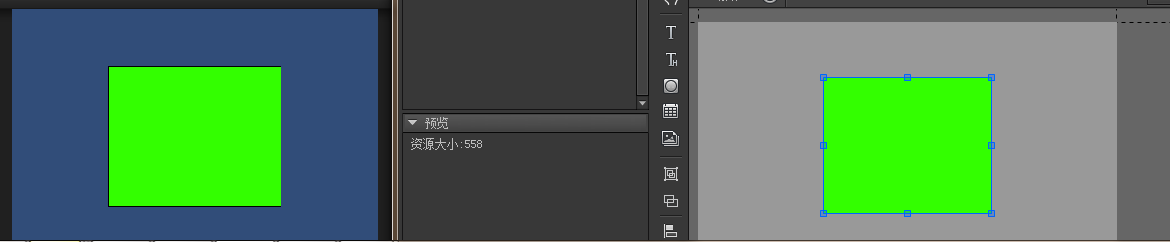
屏幕分辨率适配3

其实我们一对比发现虽然居中没问题了 但是实际上这个GImage还是需要进行大小调整的

参考之前项目里面NGUI的分辨率调整

int ManualWidth = 1280;
int ManualHeight = 720;

if (System.Convert.ToSingle(Screen.height) / Screen.width 
  > System.Convert.ToSingle(ManualHeight) / ManualWidth)
    ManualHeight = 
        Mathf.RoundToInt(System.Convert.ToSingle(ManualWidth) / Screen.width * Screen.height);


GRoot.inst
    .SetContentScaleFactor
        (ManualWidth, ManualHeight, UIContentScaler.ScreenMatchMode.MatchHeight);
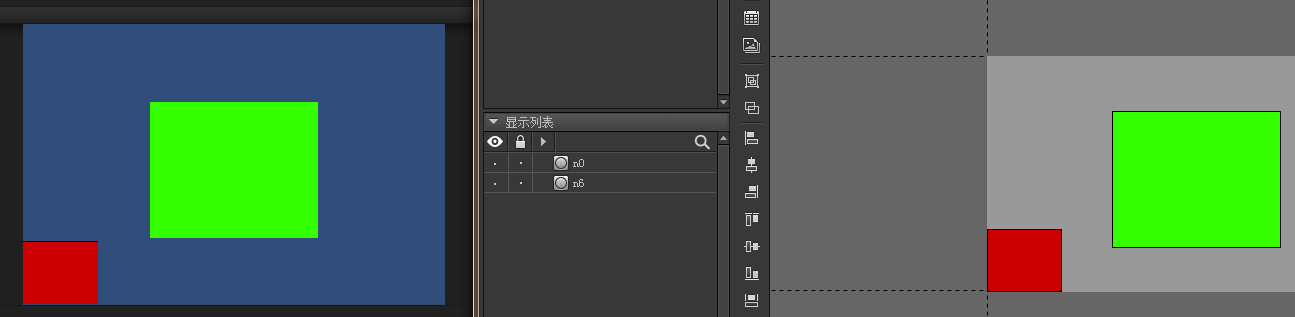
屏幕分辨率适配4

注释和共享

Install node.js with nvm

nvm

curl -o- https://raw.githubusercontent.com/creationix/nvm/v0.31.2/install.sh | bash

nvm install stable

Install hero

hexo
hexo docs

npm config set registry http://registry.cnpmjs.org 
or
npm install -g hexo-cli --registry=http://r.cnpmjs.org 

$ hexo init <folder>
$ cd <folder>
$ npm install

常用命令

hexo clean

hexo generate

hexo deploy

Deploy With Git

$ npm install hexo-deployer-git --save

deploy:
    type: git
    repo: <repository url>
    branch: [branch]

_config.xml 严格的格式要求
注意 : 后面有个空格

博客地址: https://daaoling.github.io/

参考

Hexo常见问题解决方案

https://zhuanlan.zhihu.com/p/22498474

注释和共享

原来把allowSceneActivation设置为false后,Unity就只会加载场景到90%,
剩下的10%要等到allowSceneActivation设置为true后才加载,这不得不说是一个坑。
所以代码改为如下。
当AsyncOperation.progress到达0.9后,就直接把进度条的数值更新为100%,
然后设置AsyncOperation.allowSceneActivation为ture,让Unity继续加载未完成的场景。

private IEnumerator StartLoading_4() {
    int displayProgress = 0;
    int toProgress = 0;
    AsyncOperation op = Application.LoadLevelAsync(1);
    op.allowSceneActivation = false;
    while(op.progress < 0.9f) {
        toProgress = (int)op.progress * 100;
        while(displayProgress < toProgress) {
            ++displayProgress;
            SetLoadingPercentage(displayProgress);
            yield return new WaitForEndOfFrame();
        }
    }

    toProgress = 100;
    while(displayProgress < toProgress){
        ++displayProgress;
        SetLoadingPercentage(displayProgress);
        yield return new WaitForEndOfFrame();
    }
    op.allowSceneActivation = true;
}

Unity3d中制作Loading场景进度条所遇到的问题

http://answers.unity3d.com/questions/934354/loadlevelasync-stops-at-90.html

http://answers.unity3d.com/questions/377666/how-do-you-use-asyncoperationallowsceneactivation.html

http://unity3d-book.blogspot.jp/2014/03/unity3d-preloading-scenes-with.html

注释和共享

  • 第 1 页 共 1 页

张洁勇

生活在未来,希望在现在


游戏开发工程师


杭州